
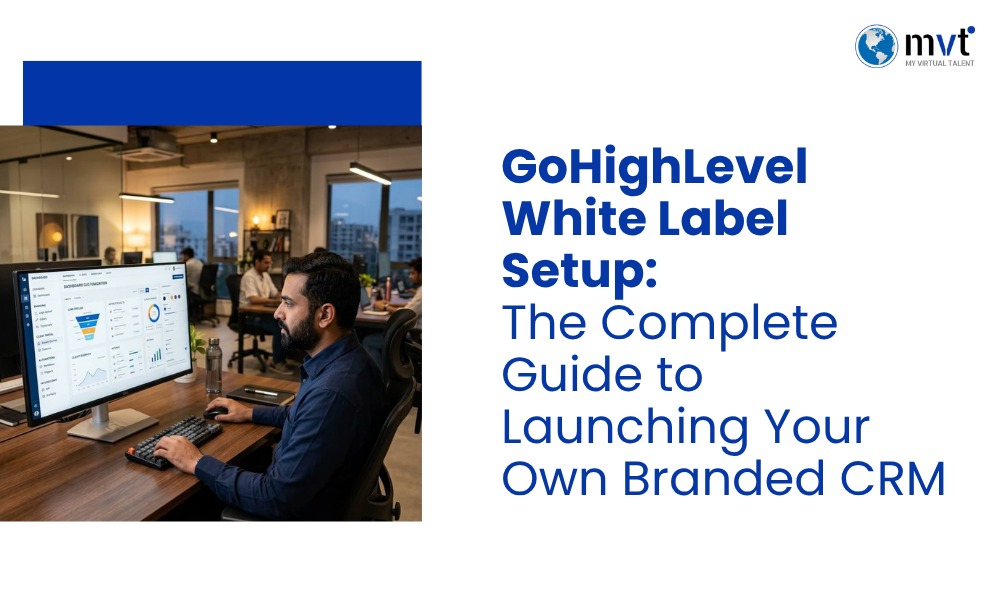
GoHighLevel white label setup lets users rebrand the entire GoHighLevel platform as their own. Add your company logo. Use your domain. Select custom colors. Change your email sender name. You can even create a new branded mobile application. Instead of providing clients a generic third-party tool, you give them a fully branded software product that your agency can profit from.
As organizations search for ways to add value without rising costs, agencies are drawn to white label services as answers. Offering a fully branded CRM and marketing service that looks, feels, and operates as a client’s own value-add product is a scalable solution.
An increase in demand for white label CRM software shows that more organizations are operating online. Businesses look for a complete, one-stop solution that manages leads, marketing automation, and communications with clients. GoHighLevel spans that gap, offering a complete solution for sales funnels, email marketing, client management, reputation management, and booking through its platform.
This guide helps users understand how to set up GoHighLevel as a white label service. You’ll learn about the benefits of the service, what’s required to set it up, and step-by-step instructions for setting it up. Even if you have no prior experience setting up an agency from scratch, this guide provides you with everything you need to set up your white-label CRM.
KEY TAKEAWAYS: What This Article Covers
Your complete guide to GoHighLevel white label setup
- What GoHighLevel White Label Setup actually is, how it works under the hood, and why it is the most powerful way for agencies to resell GHL as their own branded platform to clients.
- The core benefits for agencies and SaaS businesses — including recurring revenue potential, stronger brand authority, full platform control, and the ability to sell a premium product without building it from scratch.
- A complete step-by-step setup process — walking you through every stage from activating your white label account and configuring agency settings to inviting your first client into your branded platform.
- How to configure your branding, custom domain, and email settings correctly — including DNS records, Mailgun or SendGrid integration, and making sure every touchpoint your clients see reflects your agency brand, not GoHighLevel.
- How to enable and configure SaaS Mode — setting up your pricing plans, Stripe integration, trial periods, and feature access controls so you can start charging clients monthly recurring fees through your own branded platform.
- Proven best practices for onboarding clients successfully — including snapshot deployment, welcome automation sequences, client training tips, and how to set expectations that lead to long-term retention.
- The most common setup mistakes agencies make — such as skipping DNS verification, using the wrong Mailgun region, incorrect Stripe webhook configuration, and failing to test the client experience before going live.
What Is GoHighLevel White Label?
White Label Mode Explained
GoHighLevel White Label Mode is a feature built for agency account holders. It strips out all GoHighLevel branding and replaces it with yours. That means the platform name, logo, colors, login page, emails, and even the mobile app, all under your brand.
From your client’s point of view, they’re logging into your software. Not GoHighLevel’s. That separation is what makes a white label CRM such a strong business model.
How does it Work ?
Once you turn on white label mode, GoHighLevel becomes the engine running behind your branded platform. The core tools stay the same. Clients still get CRM features, funnels, automations, and calendars. But every visual touchpoint reflects your agency, not GoHighLevel.
You connect a custom domain, upload your logo, you choose your own brand colors, and configure email settings so all outgoing communications come from your domain only. The GoHighLevel Help Center provides detailed documentation for each of these configuration steps.
Who Should Use It
GoHighLevel white label best fits:
- Marketing agencies looking to offer branded SaaS tools to their clients
- CRM resellers who want to package and sell a white-label CRM without building one from scratch
- Automation agencies providing workflow and lead management services
- Virtual assistant companies supporting clients’ GoHighLevel accounts under a white-label model
- Consulting businesses that wish to retain their clients longer through a proprietary software offering
Benefits for Agencies
Becoming the software owner instead of the service provider is a major change. Agencies will be able to do the following with GoHighLevel’s white labeling software:
- Charge recurring monthly fees for platform access
- Strengthen client retention through a branded, proprietary experience
- Reduce client churn by owning the platform relationship
- Upsell additional features, automations, and support packages
Why are Agencies Choosing GoHighLevel White Label in 2026?
To Build Recurring Revenue
This is the biggest reason agencies invest in GoHighLevel white label setup. Instead of trading hours for one-off project fees, you charge clients a monthly subscription for your branded CRM. That revenue compounds over time.
Strengthen Your Brand
Every touchpoint your client has with the platform reinforces your agency’s brand presence and value, not that of GoHighLevel. This builds perceived authority and makes it harder for clients to consider switching to a competitor.
Improve Customer Experience
A polished, branded platform signals professionalism. Clients who log in to a cohesive, well-designed software experience are more likely to trust your agency and stay subscribed long-term.
Enables SaaS Service Offering
GoHighLevel’s SaaS Mode transforms your agency business into a SaaS business. It enables you to set pricing plans, control feature access, and automate client onboarding, all within your branded environment.
Scaling Operations
With automated billing, onboarding workflows, and client sub-accounts managed from a single agency dashboard, scaling to dozens or hundreds of clients becomes operationally feasible without proportionally increasing your team.
What You Need Before You Start the White Label Setup
Before diving into the setup process, make sure you have the following in place:
- An Agency Unlimited Account: White Label Mode requires a GoHighLevel Agency Unlimited Plan. Standard plans do not include this feature.
- White Label Upgrade: Some white label features, including the branded mobile app, require an additional white label add-on through GoHighLevel.
- Custom Domain: You’ll need a domain (or subdomain) that your clients will use to access the platform. For example:
app.youragency.com. - Business Email: A professional email address tied to your custom domain is required for SMTP configuration.
- Logo and Brand Assets: Prepare high-resolution versions of your logo (in PNG format with a transparent background), your brand color hex codes, and a custom favicon.
- Payment Gateway: To collect subscription payments through SaaS Mode, you’ll need a connected Stripe account.
Step-by-Step GoHighLevel White Label Setup
Step 1 – Configure Agency Settings
Set up your agency settings. Log into your GoHighLevel agency account and go to Agency Settings. Enter your business name, contact details, and timezone. This info fills in your system emails and notifications, so get it right.
Step 2 – Add Custom Domain
Go to Settings > Domains and add your white-label domain. You’ll need to update your DNS records at your domain registrar to point to GoHighLevel’s servers. The specific DNS values, typically a CNAME record are provided within the platform. Propagation can take anywhere from a few minutes to 48 hours depending on your registrar.
Refer to the GoHighLevel SaaS documentation for the exact DNS configuration steps based on your domain provider.
Step 3 – Upload Logo & Branding
Go to Agency Settings > Branding. Upload your logo, set your primary and secondary colors with hex codes, and upload a custom favicon. These show up everywhere across the platform, including your client login page.
Step 4 – Configure SMTP & Email
Set up your SMTP provider so all platform emails, including password resets, notifications, and automated sequences, are sent from your agency’s domain rather than GoHighLevel’s. Popular SMTP options include Mailgun, SendGrid, and Zoho. Go to Settings > Email Services and follow the connection steps for your chosen provider. Proper SMTP configuration is critical for email deliverability and brand consistency.
Step 5 – Set Up SaaS Mode
From your agency dashboard, go to SaaS Configurator and activate SaaS Mode. This unlocks automatic client account creation, subscription management, and billing. You’ll connect Stripe here too, so you can collect payments.
Step 6 – Configure Pricing Plans
Within SaaS Mode, create your subscription tiers. Define which GoHighLevel features are accessible at each plan level and set your daily, weekly, monthly or annual pricing plans. Consider offering a starter plan, a growth plan, and a premium plan to accommodate different client budgets and needs.
Step 7 – Customize the client login page
Add your logo, brand colors, and a custom welcome message to the login page. This is the first thing new clients see, so make it look sharp.
Step 8 – Test Everything
Before onboarding any clients, thoroughly test your white-label setup. Create a test sub-account, simulate a client login experience, send test emails through your SMTP configuration, and verify that your custom domain loads correctly. Check every automated workflow trigger to confirm it fires as expected.
How to Configure GoHighLevel SaaS Mode
SaaS Mode drives your agency’s recurring revenue. Once it’s live, it automates the most time-consuming parts of managing clients.
Pricing Plans
Build your plans around the features and limits you want at each tier. You can turn tools like funnels, calendars, SMS, and email marketing on or off per plan.
Subscription Settings
Set trial periods, billing cycles, and upgrade paths inside the SaaS Configurator. A 7-day or 14-day trial lowers the barrier to sign up, and boosts conversions.
Stripe Integration
Connect your Stripe account through SaaS Configurator > Payment Settings. Stripe handles all subscription billing, including recurring charges, failed payment retries, and cancellations. Make sure your Stripe account is completely verified before going live.
Client Billing
Once SaaS Mode is activated, clients can sign up and pay for their subscriptions directly through your branded platform. Stripe processes the payment, and GoHighLevel automatically creates and their sub-account.
Automation
Set up automated onboarding workflows that trigger when a new client subscribes. These workflows can send a welcome email, populate their sub-account with your agency’s snapshot, and assign them to a pipeline. All of this, without any manual intervention from your team.
Branding Your GoHighLevel Platform
A cohesive brand experience builds trust. Pay close attention to each of the following elements:
Custom Logo
Use a logo version that looks good on both light and dark backgrounds. Aim for at least 400 x 100 pixels to ensure integrity of image.
Brand Colors
Use your primary hex color for buttons and key UI elements. GoHighLevel applies these colors consistently across the platform interface.
Login Page
The login page headline, subheadline, and background are what make for the first impression of your Agency. Customise it well to make it count.
Email Branding
Ensure your email header includes your logo and that the sender name reflects your agency brand. Consistent email branding reinforces the perception that your platform is a reliable proprietary product.
Custom Favicon
Upload a 32×32 pixel favicon that matches your brand. This appears in browser tabs and bookmarks; A small detail that adds to the overall professional image and experience.
Mobile App Branding
If you’ve subscribed to GoHighLevel’s white-label mobile app add-on, you can publish a custom-branded app on the Apple App Store and Google Play Store under your agency’s developer accounts. This is a premium feature that significantly elevates your agency’s perceived value and image.
Best White Label Features Every Agency Should Enable
To deliver maximum value to clients, activate and configure these core GoHighLevel features within each sub-account:
- Workflow Automation: Build multi-step automations triggered by contact actions, form submissions, or appointment bookings.
- CRM: Organize contacts, track interactions, and manage deal stages through customizable pipelines.
- Funnels: Create high-converting sales funnels and landing pages for lead capture and product sales.
- Calendars: Set up appointment booking systems with automated confirmation and reminder messages.
- Reputation Management: Automate review request campaigns to help clients build their Google and Facebook ratings.
- Email Marketing: Design and send branded email campaigns directly from the platform.
- SMS Automation: Deliver time-sensitive messages and follow-up sequences via SMS.
- Pipelines: Track leads and opportunities through custom deal stages tailored to each client’s sales process.
GoHighLevel White Label vs Standard Account
| Feature | White Label | Standard Account |
|---|---|---|
| Custom Branding | ✅ | ❌ |
| Custom Domain | ✅ | ❌ |
| SaaS Mode | ✅ | ❌ |
| Client Billing | ✅ | Limited |
| Agency Branding | Full | GoHighLevel Branding |
| Mobile App Branding | ✅ (Add-on) | ❌ |
| Recurring Revenue Model | ✅ | ❌ |
SaaS Mode vs Manual Client Management
| Capability | SaaS Mode | Manual Management |
|---|---|---|
| Automated Account Creation | ✅ | ❌ |
| Automated Billing | ✅ | ❌ |
| Self-Serve Client Signup | ✅ | ❌ |
| Scalability | High | Low |
| Time Investment | Low (after setup) | High (ongoing) |
| Error Risk | Low | High |
Common GoHighLevel White Label Setup Mistakes
Incorrect DNS Records
Incorrect data records lead to inconsistent results. This is the number one cause of white label domain problems. Double-check that your CNAME values match exactly what GoHighLevel needs, and give DNS enough time to propagate before you start troubleshooting.
Skipping SMTP Setup
Skipping SMTP configuration means platform emails will continue to send from GoHighLevel’s domain, immediately breaking the white-label illusion. Configure SMTP before onboarding any clients.
Weak Branding
Using low-resolution logos or mismatched colors creates a weak branding making for an unprofessional experience. Invest time in preparing proper brand assets before beginning the setup.
Weak Onboarding Process
Many agencies set up the platform but fail to create a structured onboarding experience for new clients. Without a clear path or guidance, clients may become confused and turn back from the platform. Build onboarding workflows that guide new users through the platform step by step to the final point of interest, that may be subscripption, purchase or sign up.
Terrible SaaS Pricing
Pricing plans that are too low undervalue your platform and squeeze your margins, while those too high may push away prospective clients. Research competitor pricing and consider the support burden at scale before setting your rates.
No Workflow Testing
Launching without a trial run or testing automated workflows is a significant risk. A broken automation that fires at the wrong time or doesn’t fire at all can damage client trust immediately. Test every workflow before going live with it.
Best Practices for Agency Success
Build Onboarding Workflows
Create an automated sequence that welcomes new clients, walks them through the platform’s key features, and schedules a kickoff call. The faster a client sees value, the less likely they are to cancel.
Automate Support
Use GoHighLevel’s chat widget and conversation AI to handle common questions. This cuts your team’s workload while still giving clients fast, useful, reliable answers.
Create Training Resources
Record short video tutorials explaining how clients can use key platform features. Host these within a membership area or send them as part of the onboarding sequence.
Offer Monthly Plans
Monthly subscription plans reduce the barrier to entry for new clients. Once they’re active and seeing results, upselling to annual plans becomes a natural conversation.
Monitor Customer Usage
Check sub-account activity regularly to spot clients who are going quiet. Reaching out early can stop churn before it happens.
Why Agencies Choose MyVirtualTalent for GoHighLevel White Label Setup
Setting up a GoHighLevel white-label platform correctly the first time requires technical expertise across DNS configuration, SMTP setup, SaaS Mode, workflow automation, and CRM customization. That’s a significant scope, and getting any one of those components wrong may delay your launch or frustrate your first time clients, thus costing you brand reputation.
MyVirtualTalent provides complete GoHighLevel white label setup services, handling every phase of the configuration process from start to finish. The GoHighLevel services team at MyVirtualTalent covers:
- Full white-label platform branding and domain configuration
- SaaS Mode activation and pricing plan setup
- SMTP and Mailgun configuration for reliable email delivery
- Workflow automation builds tailored to your agency’s processes
- CRM customization including pipelines, custom fields, and contact organization
- Snapshot creation so client accounts are pre-populated with your templates
- Client onboarding workflow design
- Ongoing technical support after launch
For agencies that want expert execution without the trial-and-error, hiring a GoHighLevel virtual assistant from MyVirtualTalent means your platform launches faster and with fewer issues. The team has helped over 200 agencies configure and scale their GoHighLevel setups, and new clients can be up and running within 48 hours.
FAQs GoHighLevel White Label Setup
What is GoHighLevel White Label Setup?
GoHighLevel White Label Setup allows agencies to customize the platform with their own branding, domain, logo, colors, and client portal. It helps businesses provide CRM and marketing automation services under their own brand while delivering a professional client experience without the client ever seeing GoHighLevel’s branding.
Do I need SaaS Mode for GoHighLevel White Label?
SaaS Mode is not strictly required to run a white-label setup, but it is strongly recommended for agencies that want to automate client subscriptions, billing, and account creation. SaaS Mode simplifies customer management significantly and allows agencies to scale their white-label CRM business without managing every client account manually.
Can I use my own domain with GoHighLevel White Label?
Yes. You can connect a custom domain so clients reach the platform through your branded URL instead of a default GoHighLevel address. This means updating your DNS records at your domain registrar and setting up the domain inside your GoHighLevel agency settings.
How long does GoHighLevel White Label Setup take?
A basic setup, covering domain connection, logo upload, and branding, can often be done in a few hours. A fully built-out configuration with SaaS Mode, onboarding automations, SMTP, pricing plans, and a client portal usually takes longer, depending on how complex your needs are.A basic setup covering domain connection, logo upload, and branding can often be completed within a few hours. A fully customized configuration that includes SaaS Mode, automated onboarding workflows, SMTP integration, pricing plans, and a client-facing portal typically takes longer, depending on the complexity of the agency’s requirements.
Should I hire a GoHighLevel White Label expert?
Hiring an experienced GoHighLevel specialist helps agencies avoid technical errors, configure SaaS Mode correctly, optimize workflows, and launch a fully branded CRM platform faster than attempting a complex setup independently. For agencies focused on growth, the time saved and errors avoided make professional setup support a sound investment.
The Bottom Line
A GoHighLevel white-label platform gives agencies the infrastructure to build recurring revenue while delivering a fully branded CRM and marketing automation solution to clients. Rather than pointing customers to a third-party tool, you own the platform relationship complete with your domain, your logo, your colors, and your automated onboarding process. That distinction strengthens credibility and builds long-term client loyalty.
A successful GoHighLevel White Label Setup goes well beyond changing a logo. Correct configuration of SaaS Mode, automated workflows, client billing, email services, and security settings ensures the platform performs reliably as your agency grows. The agencies that invest time upfront in planning their pricing, onboarding experience, and support systems are the ones that retain clients longest.
MyVirtualTalent offers complete GoHighLevel White Label Setup services covering branding, SaaS Mode configuration, workflow automation, CRM customization, integrations, and ongoing technical support. The experienced specialists at MyVirtualTalent’s GoHighLevel services team help agencies launch faster, avoid costly setup mistakes, and deliver a professional white-label platform built for long-term business growth. Get in touch today to discuss your agency’s requirements and take the next step toward owning your branded CRM platform.

Looking for fresh content?
Get articles and insights from our weekly newsletter.
Recent Posts


Reduce Your Marketing Spend By 70% And Grow Your Revenue Organically 10X Faster!
Get a Free Quote Today!