
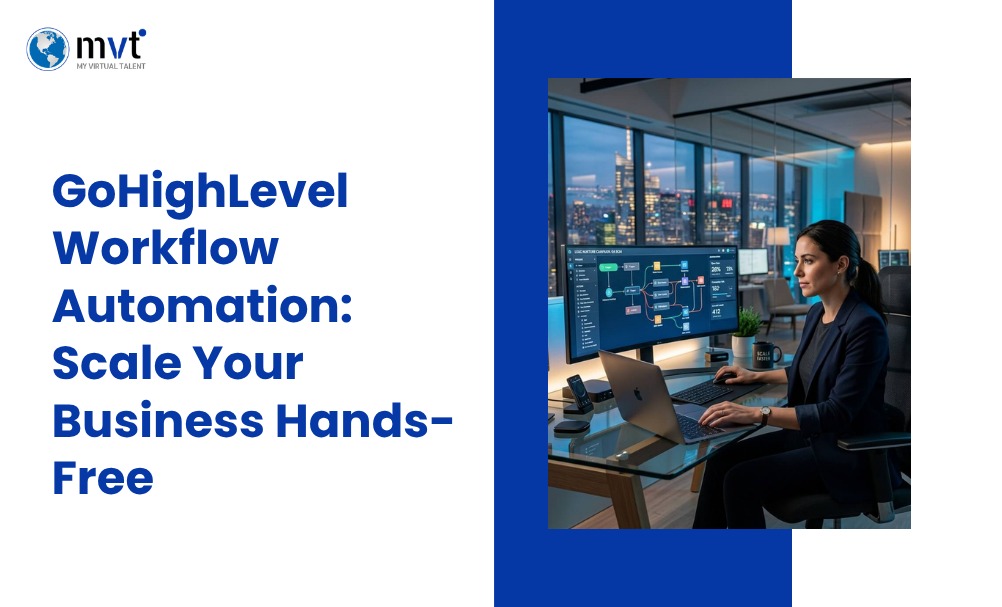
Running a business often means handling many tasks at the same time. You may need to manage leads, send emails, follow up with customers, book appointments, update your sales pipeline, and welcome new clients. Doing all of this by hand can take up a large part of your day. GoHighLevel workflow automation helps make these daily tasks easier by allowing your business to automate repeat work.
With GoHighLevel workflows, you can automatically send emails and SMS messages, follow up with leads, send appointment reminders, update pipeline stages, and manage customer communication. Workflows use triggers and actions to decide what should happen and when it should happen.
This can reduce manual work, help your team respond faster, and keep important tasks from being missed.
In this guide, you will learn how HighLevel workflow automation works, how to build your first workflow, and which automation ideas can help your business save time and stay organized.
KEY TAKEAWAYS: What This Article Covers
Your complete guide to GHL workflow automation
- What GoHighLevel Workflow Automation is, how it works inside the GHL platform, and why it has become the go-to automation system for agencies and service businesses worldwide.
- The core benefits of automating your business processes — from eliminating manual follow-ups and reducing human error to saving hours every week and scaling your operations without adding headcount.
- A clear step-by-step setup guide for building your first GHL workflow — covering triggers, actions, conditions, and time delays so you can get your first automation live without confusion.
- The most powerful workflow automation examples every business should have running — including lead follow-up sequences, appointment reminders, missed call text backs, review requests, and re-engagement campaigns.
- Real-world industry-specific use cases showing how healthcare, real estate, legal, eCommerce, and marketing agencies are using GHL workflows to automate their client journeys end-to-end.
- The most common mistakes to avoid when building GHL workflows — such as over-complicated trigger logic, missing time zone settings, skipping testing, and sending too many messages too fast.
- Proven best practices for maintaining and scaling your GHL workflows long-term — including audit schedules, naming conventions, A/B testing messages, and keeping your automations clean as your business grows.
- Why hiring a GoHighLevel expert can dramatically accelerate your automation results — saving weeks of setup time, avoiding costly trial-and-error, and ensuring your workflows are built to scale from day one.
What Is GoHighLevel Workflow Automation?
GoHighLevel workflow automation is a system inside the GoHighLevel CRM platform that permits businesses to create automated sequences of actions triggered by specific events. Rather than manually sending individual emails, updating pipelines, or booking appointments, GoHighLevel handles these tasks automatically based on rules which you define for your business i.e. customized alignment.
What Is a Workflow?
A workflow is a set of instructions that tells GoHighLevel what to do when a specific event or action occurs. Think of it as an automated playbook for your business.
How do Workflows Work ?
Every workflow is built from three core components:
- Trigger : The action or event that starts the workflow (e.g., a new lead fills out a form)
- Conditions : Optional filters that determine whether the workflow continues (e.g., only if the lead is from a specific location)
- Actions : The tasks that get executed automatically (e.g., send an SMS, assign a task, update a pipeline stage)
You can learn more about GoHighLevel’s workflow capabilities directly in the GoHighLevel Help Center.
Why do businesses need GoHighLevel Workflow ?
Businesses rely on automation or GoHighLevel workflows to achieve a range of goals: improve lead response time, nurture prospects through the sales funnel, reduce no-shows, increase reviews, and engage and rekindle cold contacts- all of these without lifting a finger.
Automation Goals
Manual processes create bottlenecks. A lead comes in at 9 PM on a Friday, and by Monday morning, they’ve already signed with a competitor. GoHighLevel automation solves that problem at its root.
Reclaim your time
Automating repetitive tasks frees up your team to focus on high-value activities and tasks, like closing deals and serving clients apart from ideation and strategy.
Low Slog; High Creativity
No more copy-pasting follow-up emails or manually moving contacts through your pipeline. GoHighLevel handles the repetitive work so your team can work effortlessly..
Speed-Up Response Time
Speed matters in sales. An automated SMS or email sent within seconds of a new lead submission dramatically increases conversion rates.
Boost Sales
Consistent, timely follow-up keeps leads warm. Businesses that automate their follow-up sequences close more deals simply by staying top of mind.
Enhance Customer Experience
Automated appointment reminders, onboarding sequences, and check-ins make customers feel valued, without demanding extra efforts on part of your team.
Scale Operations
Automation doesn’t get tired or overwhelmed like human subjects when assigned with repetitive taks. As your business grows, your workflows scale with it, handling 10 leads or 10,000 with the same consistency.
Step-by-Step Guide to Setting Up GoHighLevel Workflow Automation
Setting up your first workflow in GoHighLevel takes just a few minutes. Here’s how to do it.
Step 1 Create a Workflow
Navigate to the Automation tab in your GoHighLevel dashboard and click Create Workflow. You can start from scratch or choose from a pre-built template.
Step 2 Choose a Trigger
Select the event that will kick off your workflow. Common trigger options include:
- Form submitted
- Appointment booked
- Tag added to a contact
- Missed call
- Pipeline stage changed
Step 3 Add Conditions
Conditions let you filter who goes through a particular workflow. For example, you might only want the workflow to run if a contact has a specific tag or if their lead source matches a certain campaign.
Step 4 Configure Actions
Add the actions you want GoHighLevel to perform. These can include:
- Sending an email or SMS
- Assigning a task to a team member
- Moving a contact to a different pipeline stage
- Adding or removing a tag
- Waiting a set period before the next action
Step 5 Test Your Workflow
Before publishing, use GoHighLevel’s built-in testing features to run through the workflow manually. This helps catch any issues with trigger settings, timing, or message content.
Step 6 Publish and Monitor
Once you’re happy with the setup, publish the workflow. Monitor its performance regularly through the reporting dashboard to track open rates, response rates, and conversion metrics.
High Impact GoHighLevel Workflow Automation: Best Examples to use
These are the workflows that deliver the most immediate value for most businesses.
Lead Capture Workflow
Trigger: Form submitted → Send instant SMS confirmation → Assign lead to sales rep → Add to pipeline → Send follow-up email after 1 hour
Appointment Booking Workflow
Trigger: Appointment booked → Send confirmation SMS and email → Send reminder 24 hours before → Send final reminder 1 hour before
Missed Call Text Back Workflow
Trigger: Missed call → Immediately send SMS (“Sorry we missed you! How can we help?”) → Assign follow-up task to team
New Customer Welcome Workflow
Trigger: Opportunity marked as “Won” → Send welcome email → Add to onboarding pipeline → Schedule a check-in call
Review Request Workflow
Trigger: Appointment completed → Wait 24 hours → Send SMS requesting a Google review → Send follow-up email if no response after 3 days
Email Nurture Workflow
Trigger: Lead added to newsletter list → Send welcome email → Send educational content on Day 3 → Send case study on Day 7 → Send offer on Day 14
SMS Follow-Up Workflow
Trigger: Lead hasn’t responded in 3 days → Send re-engagement SMS → If no reply after 2 days, assign manual follow-up task
Re-Engagement Campaign
Trigger: Contact inactive for 60 days → Send “We miss you” email → If opened, add to active pipeline → If not opened, send final SMS before archiving
Pipeline Automation
Trigger: Stage changed to “Proposal Sent” → Send automated follow-up email after 2 days → If no response, notify sales rep
Internal Team Notifications
Trigger: New high-value lead submitted → Send internal Slack notification → Assign to senior sales rep → Create follow-up task
GoHighLevel Workflow Automation and Different Industries using it
Real Estate
Automate lead capture from property listing inquiries, send follow-up sequences, schedule showings, and notify agents instantly when a new lead comes in.
Healthcare
Send appointment reminders, collect patient intake forms automatically, and follow up post-visit to gather feedback or schedule follow-up appointments.
Home Services
Trigger workflows when a quote request is submitted, automate job confirmation messages, request reviews after service completion, and re-engage past customers for seasonal offers.
Digital Marketing Agencies
Automate client onboarding, reporting notifications, campaign updates, and review requests, all without adding to your team’s workload.
Coaches & Consultants
Nurture leads from discovery call inquiries, send pre-session resources automatically, and follow up after sessions to collect testimonials.
eCommerce
Trigger post-purchase sequences, abandoned cart follow-ups, loyalty program messages, and re-engagement campaigns based on purchase behavior.
Common GoHighLevel Workflow Automation Mistakes to Avoid
Never Overcomplicate
Overcomplicating a workflow makes it harder to diagnose problems. Start simple and add complexity only when necessary.
Forgetting Wait period Delay
Sending five messages in rapid succession will annoy contacts and hurt your deliverability. Always add appropriate wait steps between actions.
Poor Trigger Selection
Choosing the wrong trigger means your workflow fires at the wrong time. Map out exactly what event should start each automation before building.
Skipped Testing
Skipping the testing phase is one of the most common (and costly) mistakes. Always run a test contact through your workflow before going live.
Duplicate Automations
Running overlapping workflows on the same contact segment can result in duplicate messages and a poor customer experience. Audit your automations regularly.
Losing Track
If you’re not tracking workflow performance, you have no way of knowing what’s working. Review your analytics consistently and optimize accordingly.
Manual Tasks vs. Workflow Automation
| Task | Manual Process | Workflow Automation |
|---|---|---|
| Lead Follow-Up | Slow | Instant |
| Appointment Reminders | Manual | Automatic |
| Review Requests | Inconsistent | Automated |
| Email Campaigns | Manual | Scheduled |
| Pipeline Updates | Manual | Automatic |
The difference between these two columns isn’t just efficiency, but also revenue. Businesses that automate their follow-up processes respond to leads faster, nurture them more consistently, and close deals that would otherwise fall through the cracks.
Best Practices for GoHighLevel Workflow Automation Success
Keep It Simple
Each workflow should serve one clear purpose. If you find yourself adding too many branches and conditions, consider splitting it into two separate workflows.
Name It
Use descriptive names like “Lead Capture, Home Services” rather than “Workflow 1.” This makes it much easier to manage your automations as your library grows.
See it to believe it
Always run through your workflows with a test contact before enabling them for real leads.
Review Analytics Regularly
Check open rates, click-through rates, and response rates regularly or at least monthly. Look for drop-off points and optimize those steps.
Optimize Periodically
The first version of a workflow is rarely the best. Continuously refine your messaging, timing, and sequences based on real performance data.
Benefits of Hiring a GoHighLevel Automation Expert
GoHighLevel is a powerful platform, but its full potential takes time to unlock. Hiring a certified GoHighLevel automation expert can accelerate your results significantly.
- Faster implementation – Get your workflows live in days, not weeks
- Fewer setup mistakes – Avoid the common errors that waste time and frustrate leads
- Better workflow optimization – Build automations that are designed for conversions, not just completion
- Improved business efficiency – Focus on growing your business while an expert handles the technical setup
- Ongoing support – As your business evolves, your automations should too
Grow your business with MyVirtualTalent for GoHighLevel Workflow Automation
MyVirtualTalent is a business outsourcing company with over a decade of experience helping businesses build, grow, and transform their operations. Their GoHighLevel services go beyond basic setup and offer holistic support.
The team at MyVirtualTalent includes certified GHL specialists who handle everything from workflow design and CRM automation to funnel building, email and SMS setup, and white-label support. With plans starting from just $449/month and a 5-day money-back guarantee, they offer enterprise-level GoHighLevel support at a fraction of the cost of in-house hiring.
Whether you’re a digital marketing agency looking to scale, a local service business trying to automate follow-ups, or a coach who wishes to eliminate admin work, their team builds and manages customized automation solutions that are aligned with your specific business goals.
Frequently Asked Questions
What is GoHighLevel Workflow Automation?
GoHighLevel Workflow Automation helps businesses automate repetitive tasks such as lead nurturing, appointment reminders, email campaigns, SMS follow-ups, and pipeline updates. GoHighLevel workflow automation improves efficiency, saves time, and helps businesses respond to leads more quickly while creating a better customer experience.
How do I create a workflow in GoHighLevel?
Creating a workflow starts by selecting a trigger, adding conditions if needed, and defining actions such as sending emails, text messages, assigning tasks, or updating pipeline stages. Testing the workflow before publishing helps ensure everything runs correctly.
What businesses can use GoHighLevel Workflow Automation?
GoHighLevel Workflow Automation works well for digital marketing agencies, real estate businesses, healthcare providers, coaches, consultants, home service companies, eCommerce brands, and many other service-based businesses that want to automate customer communication.
Can GoHighLevel automate email and SMS marketing both?
Yes. GoHighLevel can automatically send emails, SMS messages, reminders, follow-up sequences, review requests, and promotional campaigns based on customer actions thus, helping businesses stay connected without manual effort.
Is hiring a GoHighLevel automation expert worth it?
Hiring an experienced GoHighLevel automation expert can help businesses avoid setup mistakes, build efficient workflows, improve lead management, and maximize the platform’s capabilities. This is especially valuable for complex sales and marketing processes where precision and speed matter most.
The Bottom Line
GoHighLevel workflow automation can help businesses save time and manage daily tasks with less manual work. Instead of sending every email, text message, reminder, or lead follow-up by hand, businesses can create workflows that handle these repeat tasks automatically.
A good workflow can help your team respond to leads faster, keep customer communication organized, and reduce missed follow-ups. It can also update CRM records, manage appointments, and move leads through the sales pipeline. The best approach is to keep each workflow simple and focused on a clear goal.
It is also important to test your workflows often. Check that messages are sent at the right time, triggers work correctly, and customers receive the right information.
MyVirtualTalent provides GoHighLevel specialists who can help build, manage, and improve workflows based on your business needs. Our team can support lead follow-ups, appointment reminders, CRM automation, customer communication, and other routine processes.
Ready to reduce manual work and improve your daily operations? Explore our GoHighLevel services and get started today.

Looking for fresh content?
Get articles and insights from our weekly newsletter.
Recent Posts


Reduce Your Marketing Spend By 70% And Grow Your Revenue Organically 10X Faster!
Get a Free Quote Today!